Home/Our Apps/Key Plan Ai
LIVE · kpai.666website.com
// live product KEY PLAN AI /施工进度地图
Key Plan Ai
For Malaysian construction sites

See what is built, floor by floor.

KPAi turns your construction drawings into a live progress map. Colour each area as the work moves, and site, office and client all read the same picture.

14 days free · card required · cancel any time
EN · 中文 · BM
Languages
iPad + desktop
Devices
14
Day free trial
kpai.666website.com/projects/tdr/l3
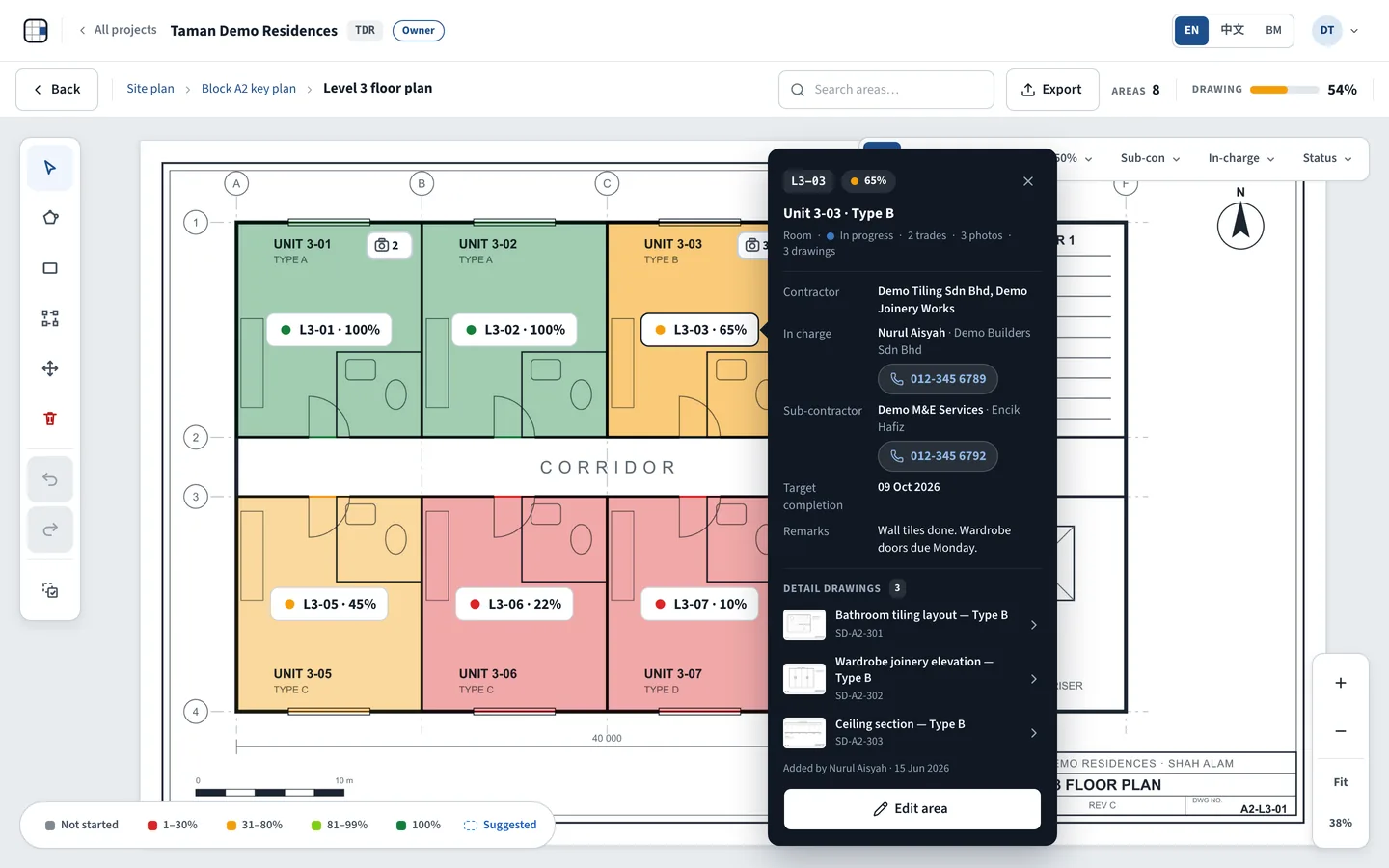
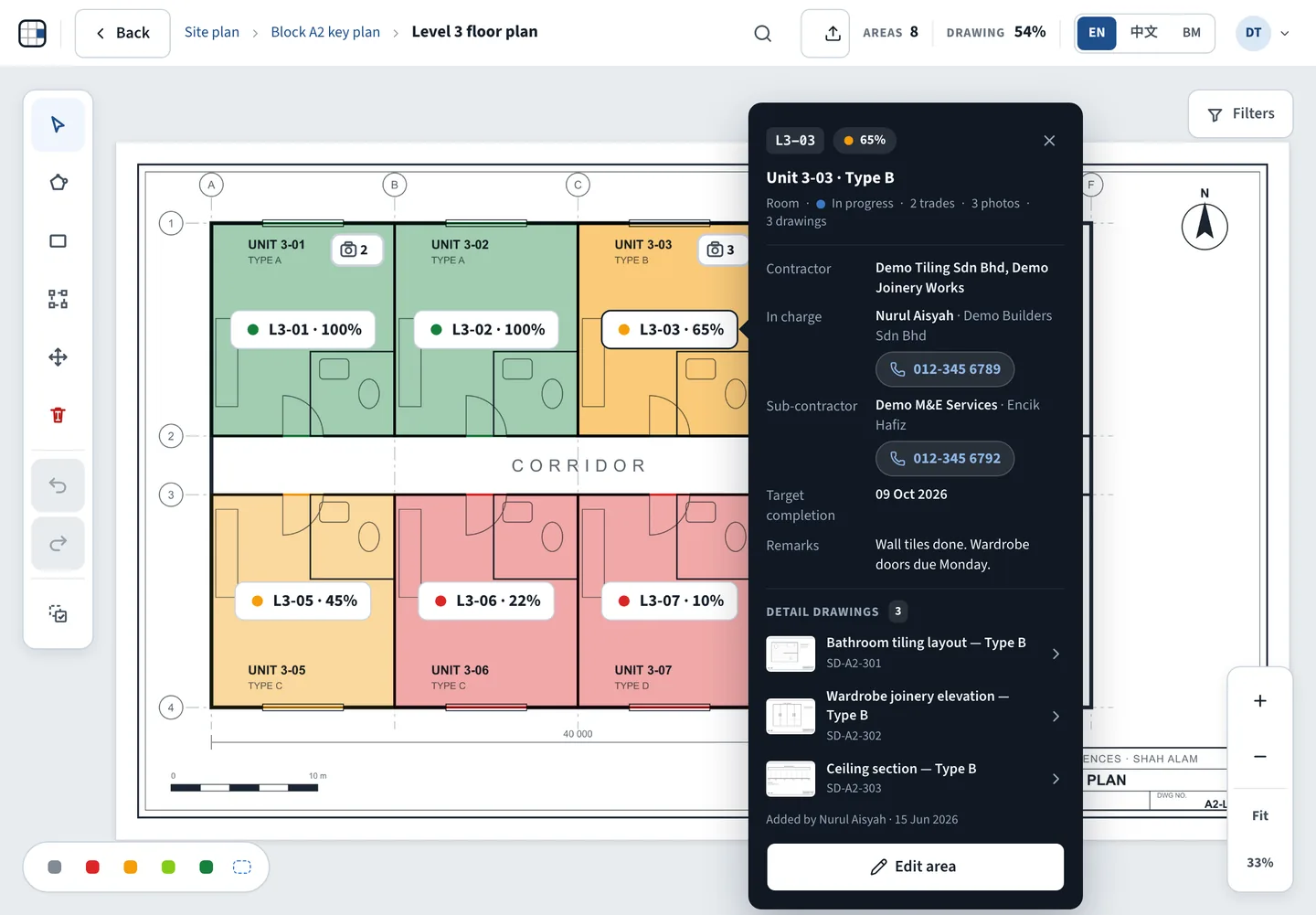
The KPAi drawing viewer: a floor plan with units coloured by progress and the info bubble of unit L3-03
// how it works 3 STEPS /使用方法

Upload. Mark. Track & share.

01

Upload

Upload PDF, JPG, PNG or DXF drawings. AI reads the title block.
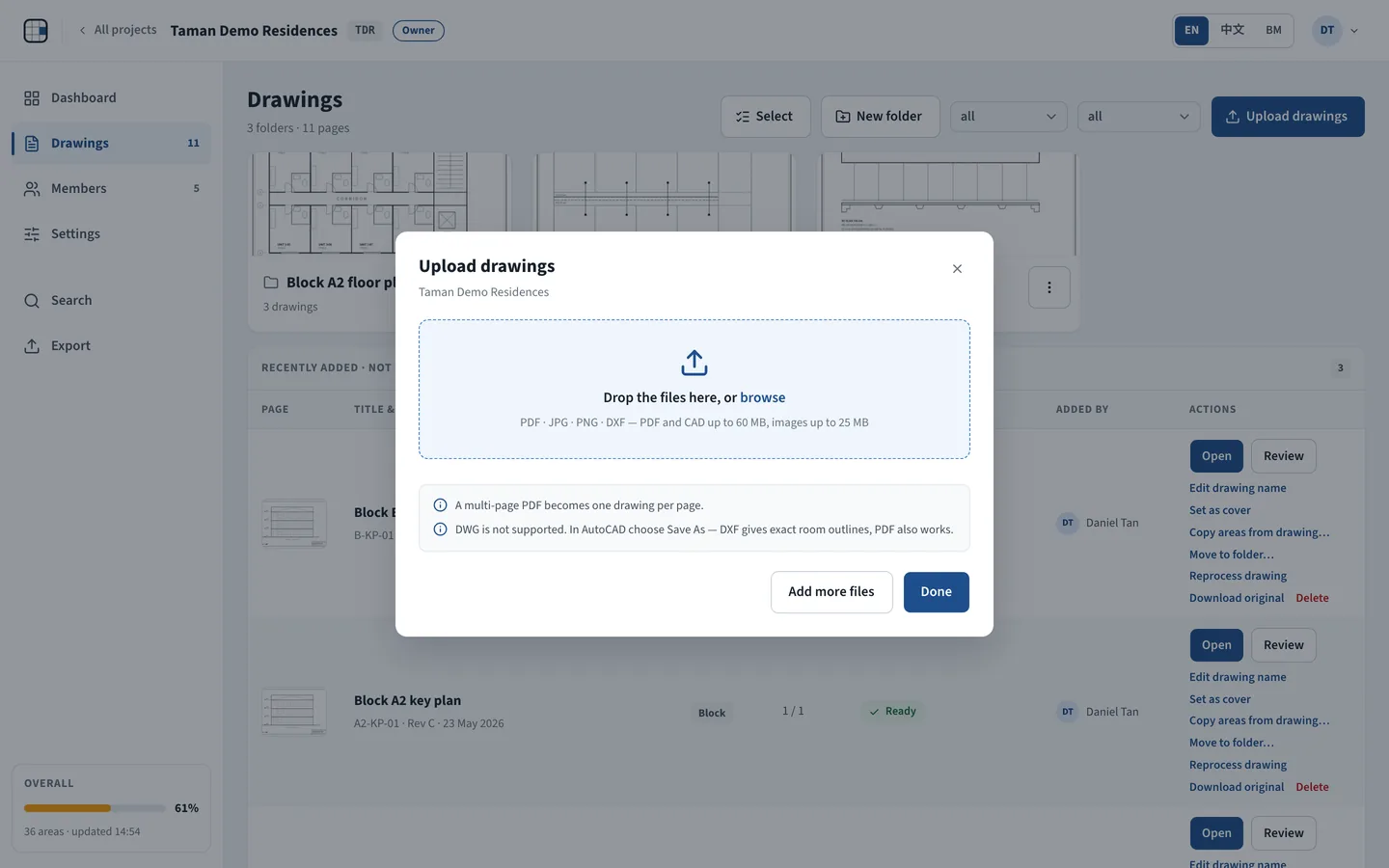
The Upload drawings dialog
02

Mark areas

Draw or copy the units, rooms and zones on the plan.
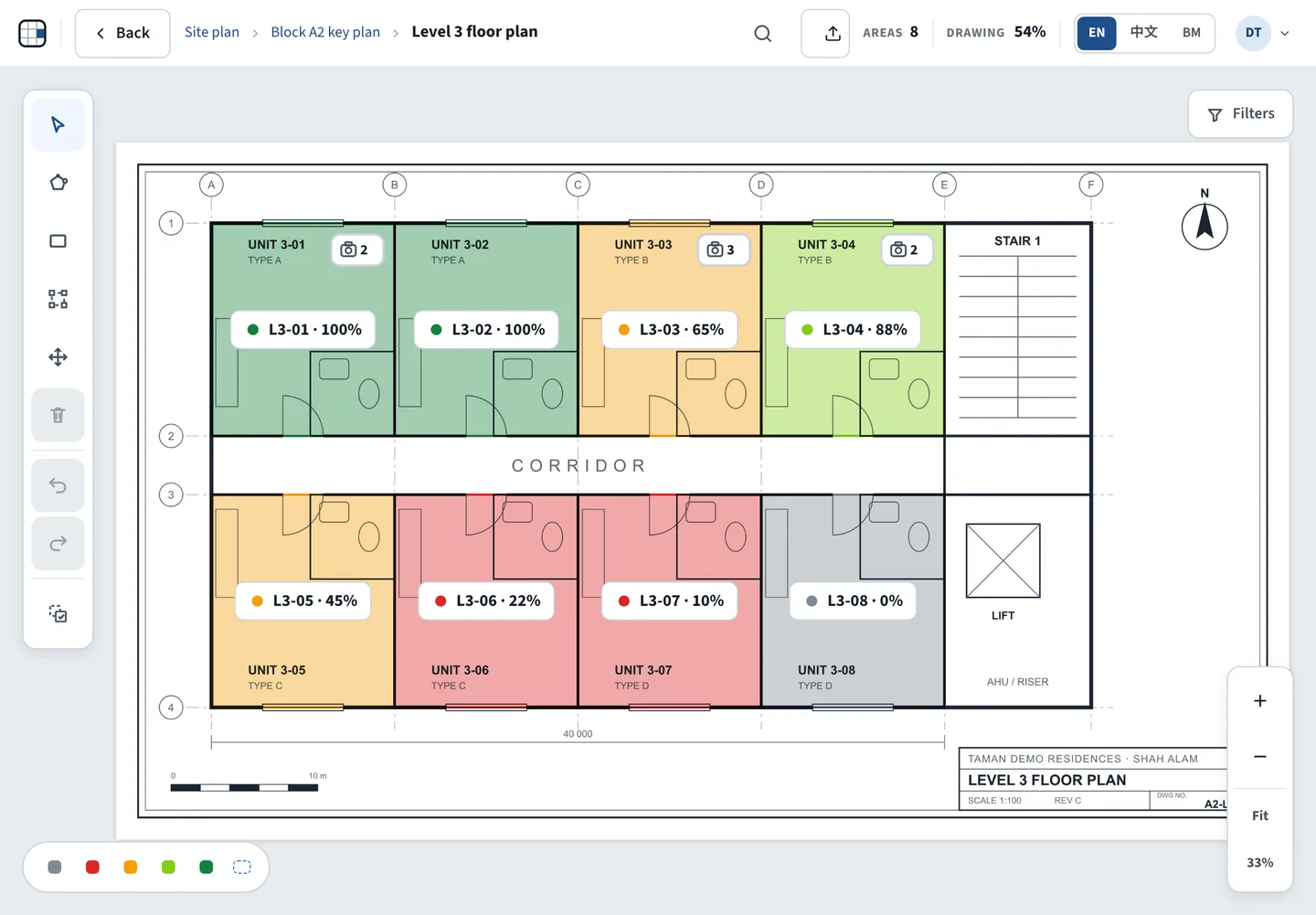
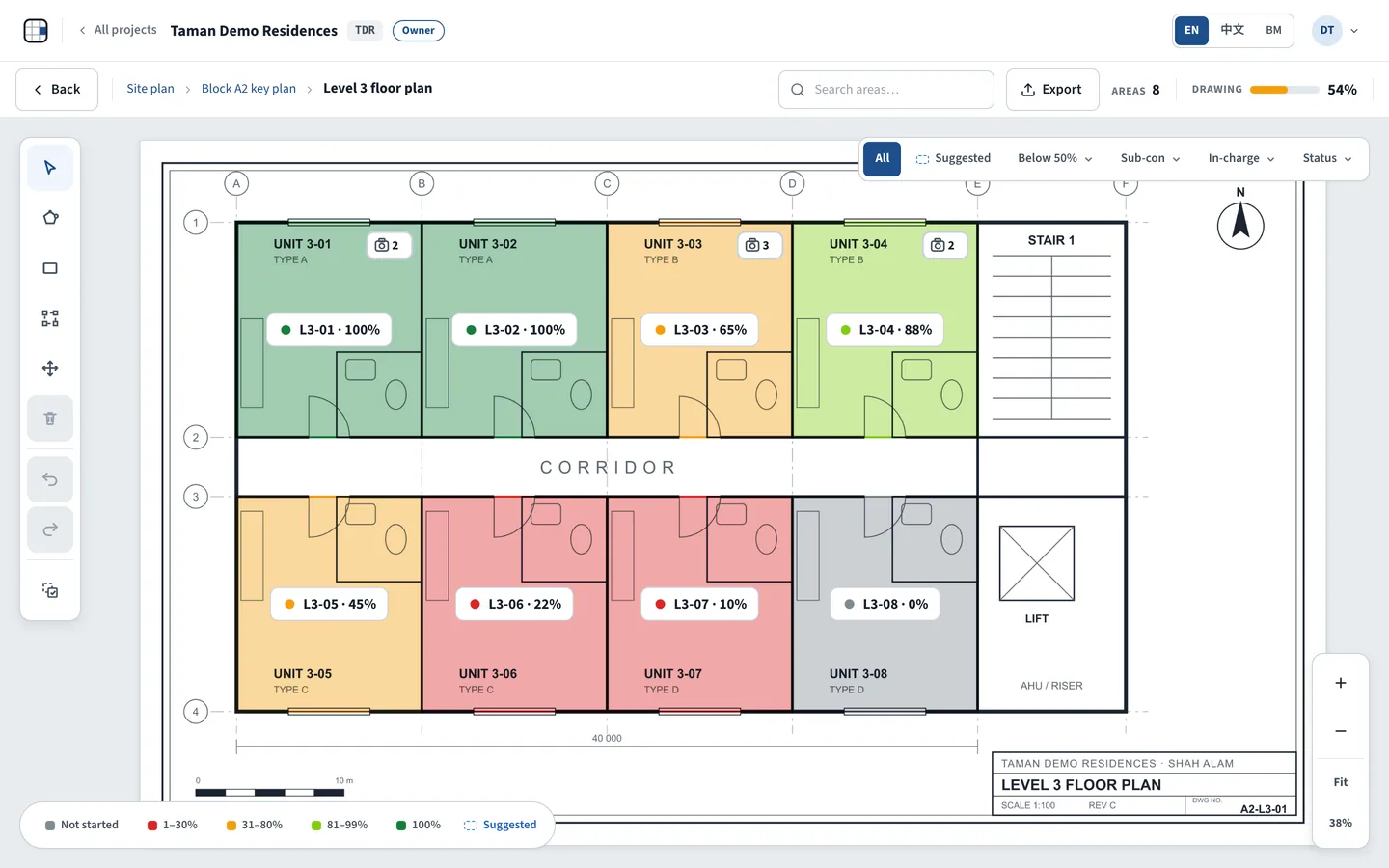
A Level 3 floor plan with every unit coloured by its progress
03

Track & share

Update progress and photos on site. The office and management follow the same live drawings and dashboard.
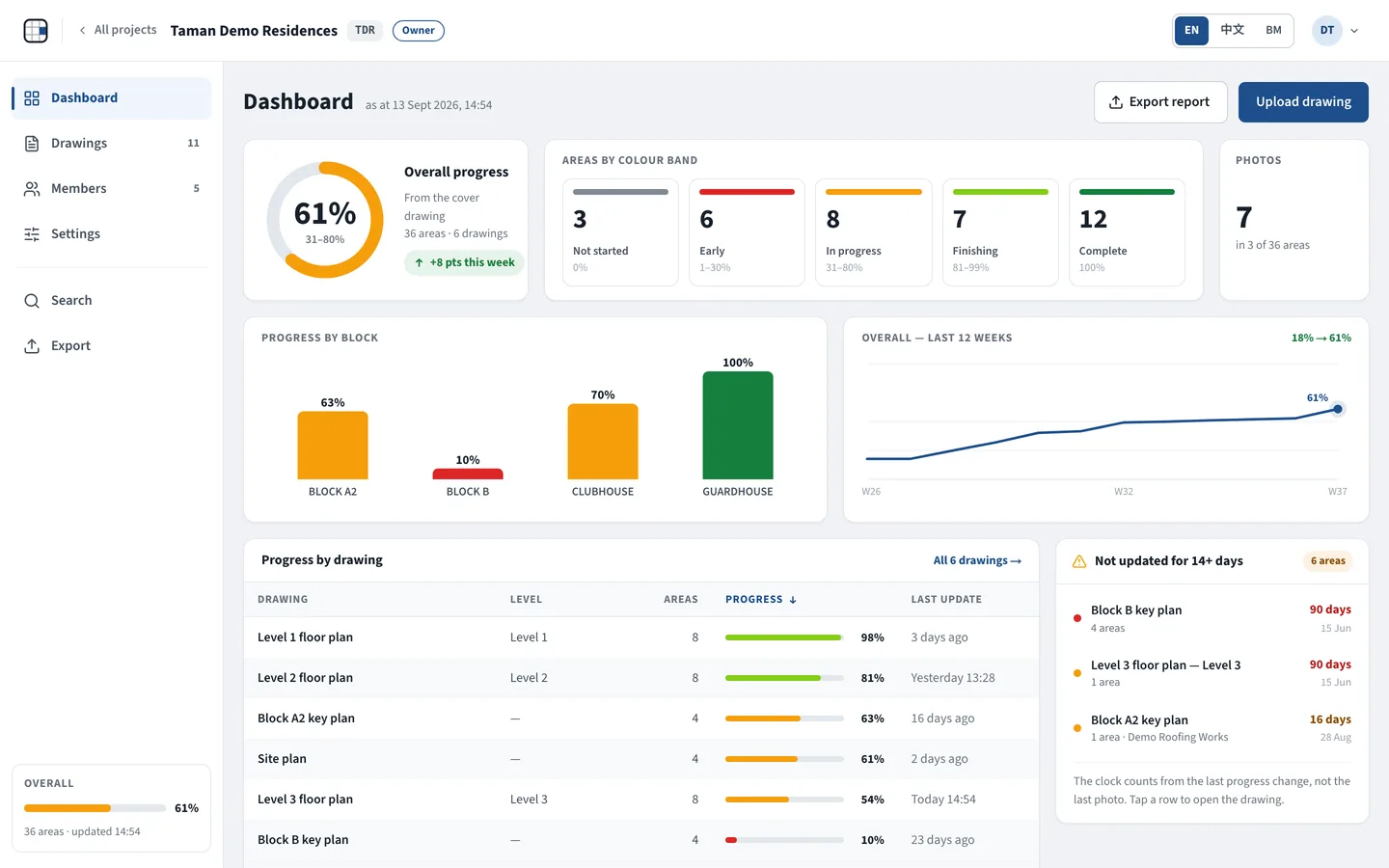
The project dashboard: overall progress ring, areas by colour band, progress by block and the 12-week trend
// what it does FEATURES /功能

Everything the site team needs, on one drawing.

01

Upload your drawings. AI reads the title block.

Upload PDF, JPG, PNG or DXF — a multi-page PDF becomes one drawing per page. AI reads the title block and fills in the title, drawing no., revision, date, scale, block and floor for you to check.

Upload drawingsPDFJPGPNGDXFRe-run AI
kpai.666website.com/projects/tdr/drawings
The Upload drawings dialog
02

Mark every unit, room and zone on the plan.

AI area suggestions · Coming soon

Draw an area with a finger or a mouse, or copy the areas from another drawing of the same level. Each area is coloured by its progress, so the whole floor reads at a glance.
Draw polygonDraw rectangleCopy areas from drawing…
Not started 1–30% 31–80% 81–99% 100%
kpai.666website.com/projects/tdr/l3
A Level 3 floor plan with every unit coloured by its progress
03

Tap an area to see who, what and how much is done

A tap opens the info bubble: the %, work status, contractors, the person in charge and the sub-con with tap-to-call, the target completion date and remarks. Edit area opens the full panel — progress slider, trades & contractors, photos and history.
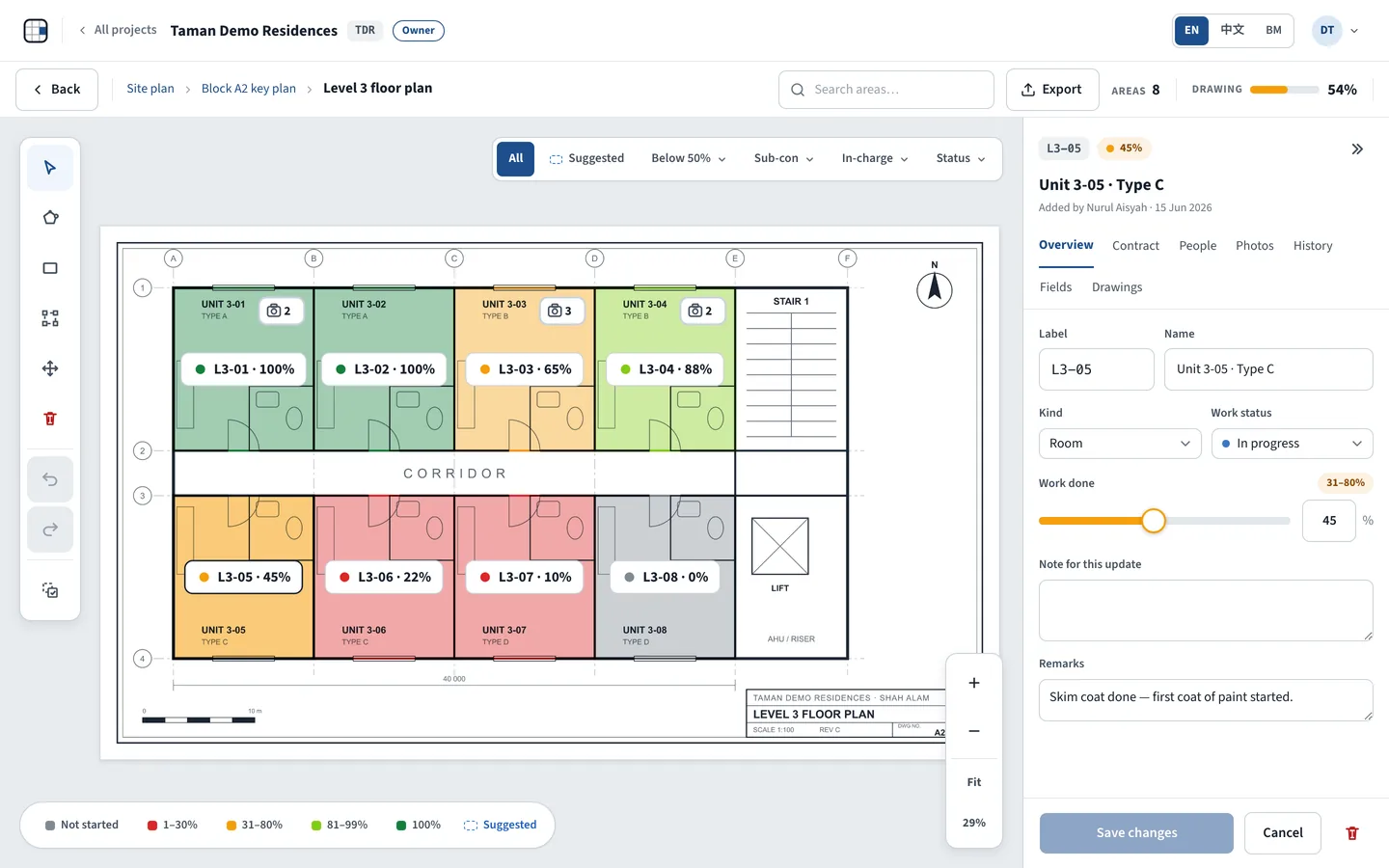
Edit areaContractorIn chargeTap to callTarget completionTrades & contractors
The KPAi drawing viewer: a floor plan with units coloured by progress and the info bubble of unit L3-03
The Edit area panel with the progress slider
04

Management sees live progress

Every drawing rolls up into one dashboard — overall progress, progress by block and by drawing, a 12-week trend, areas not updated for 14+ days and the latest updates. Drawings link down from site plan to block to floor, so a block's colour is the average of its floors.

DashboardOverall progressProgress by blockOverall — last 12 weeksNot updated for 14+ days
kpai.666website.com/projects/tdr/dashboard
The project dashboard: overall progress ring, areas by colour band, progress by block and the 12-week trend
05

Photos, detail drawings and folders — all in one place.

Take photos on site with the iPad camera and attach them to the area. File shop drawings and details under the room they belong to — they open straight from the info bubble. Keep every sheet tidy in folders and sub-folders.
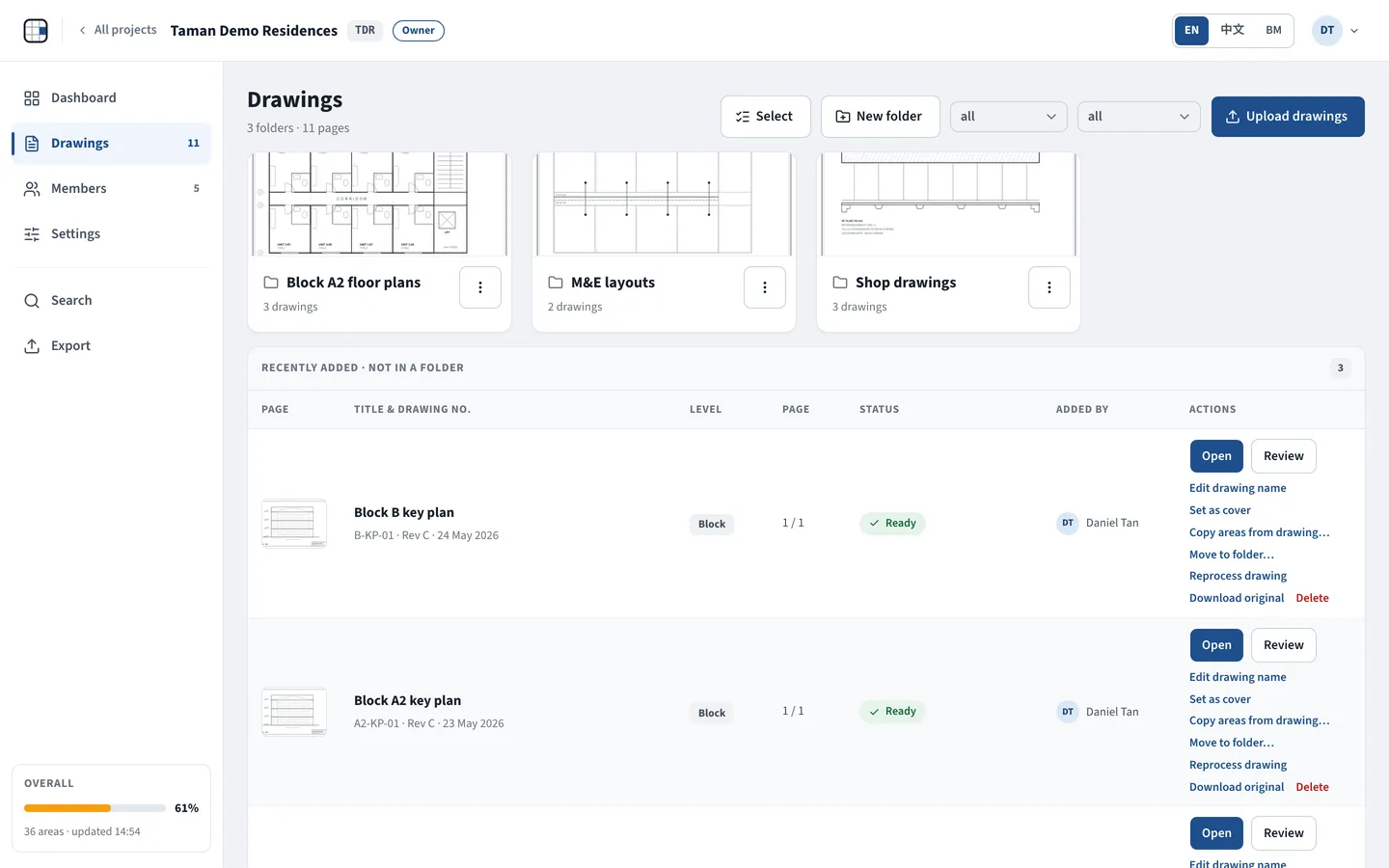
Take photoDetail drawingsNew folderMove to folder…
kpai.666website.com/projects/tdr/drawings
The drawings list with folders and page thumbnails
06

Invite your team. Export the report.

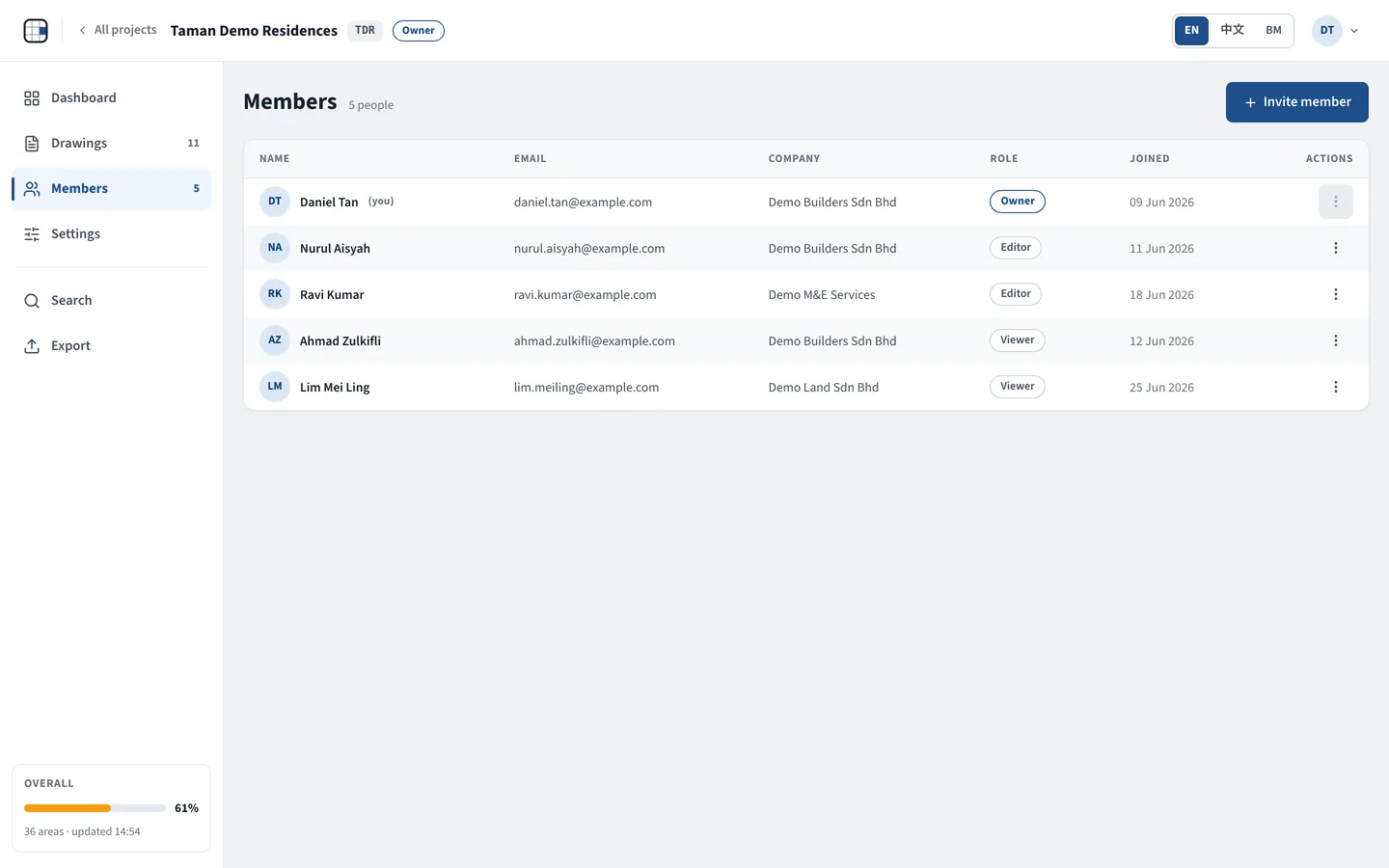
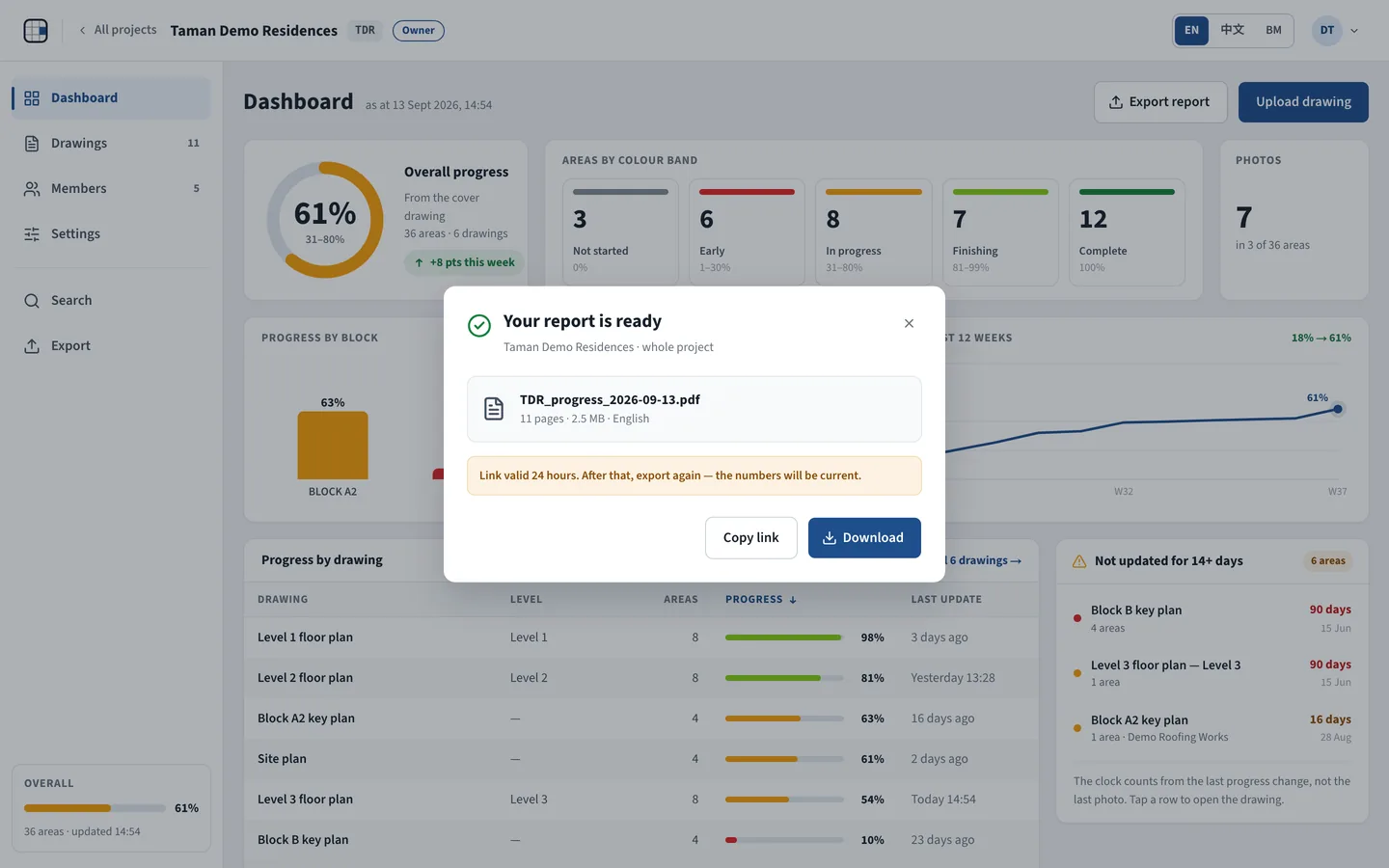
Invite people by email as Editor or Viewer — editors update, viewers only read, and everyone sees the same live progress. Export a print-ready PDF report or an Excel workbook with one sheet per drawing, in English, 中文 or Bahasa Malaysia.
Invite memberOwnerEditorViewerExport reportPDF reportExcel workbook
kpai.666website.com/projects/tdr/members
The project Members page: five people with Owner, Editor and Viewer roles and the Invite member button
The export dialog with the PDF report ready to download
// built to be trusted TRUST /可信

Your data is stored in Singapore

Drawings go to our AI provider for extraction only — not used to train its models

Row-level security on every table · files open only through short-lived signed links · HTTPS

Every progress change is logged with who and when

Editors can only change or delete what they added

No advertising or tracking cookies

Privacy Policy under Malaysia's PDPA 2010

Made in Malaysia by 666 Website Services
// runs where you work LANGUAGES & DEVICES /语言与设备
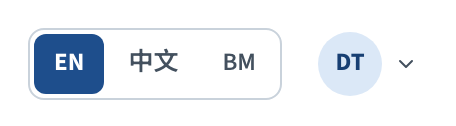
  • EN · 中文 · BM — switch the whole app with one tap
  • Reports and emails in the same three languages
  • iPad (landscape) and desktop / laptop browsers
  • Nothing to install — add KPAi to the iPad home screen
  • Uploads: PDF · JPG · PNG · DXF
Screens 768 px wide and up · internet connection required
The app's EN · 中文 · BM language switcher
A Level 3 floor plan with every unit coloured by its progress
// start today

Put your next drawing on the map.

Upload one drawing, mark its areas and see the floor in colour today.

14 days free · card required · cancel any time